HyundaiBook.ru
Repair Chevrolet Repair Honda Repair Toyota Repair Land Rover Repair VAZ Repair Renault Repair Nissan
English Русский
Български
Беларускі
Український
Српски
Hrvatski
Română
Polski
Slovenský
Magyar
ArticlesSitemapContacts  


  Accent   Elantra   Getz   Grandeur   Sonata   Santa Fe   Tucson   Others
Elantra 1 (1990-1995, petrol) Elantra 2 (1995-2000, petrol) Elantra 3 (2000-2006)
  • Main
  • Elantra
  • XD (2000-2006)
  • Transmission
  • Automatic gearbox
  • Removal and installation of the F4A42 gearbox

Removal and installation of the F4A42 gearbox (Hyundai Elantra XD)

0
Contents: Removal ⇓ Installation ⇓
Removal

Removal


1. First, disconnect the wire from the…


1. First, disconnect the wire from the negative terminal of the battery, then from the positive one. Remove the battery and battery support.
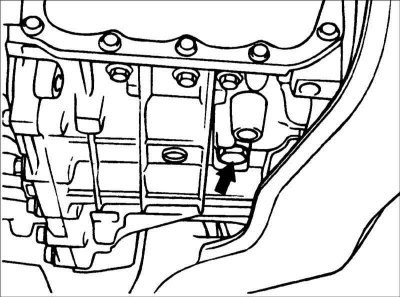
2. Remove the drain plug and drain the…


2. Remove the drain plug and drain the transmission oil from the gearbox into a suitable container.

3. Remove the air filter.


4. Disconnect the connector from the speedometer sensor.
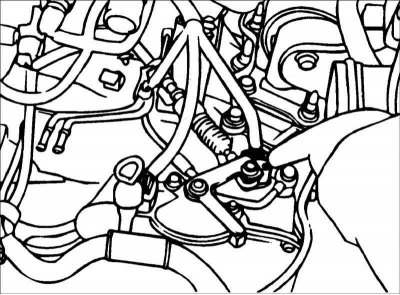
5. Disconnect the connector from the…


5. Disconnect the connector from the transmission range switch, the solenoid connector and the connector from the oil temperature sensor.

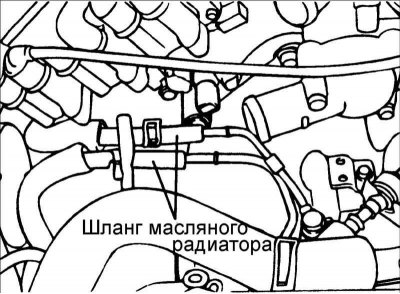
6. Disconnect the hose from the oil cooler.
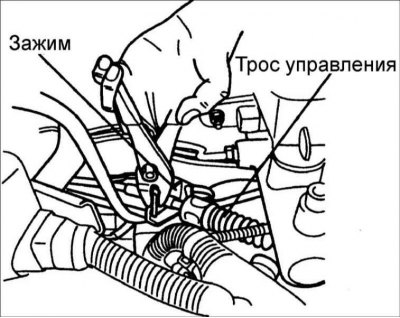
7. Remove the control cable.


7. Remove the control cable.

8. Disconnect the steering column shaft universal joint from the steering gear.
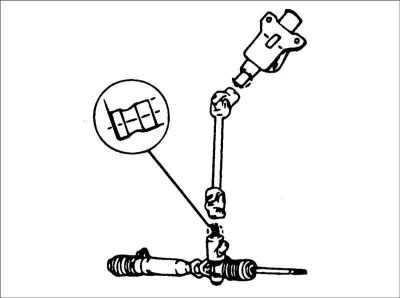
Caution: Mark the position of the…


Caution: Mark the position of the cardan joint of the steering column shaft and the steering gear shaft.
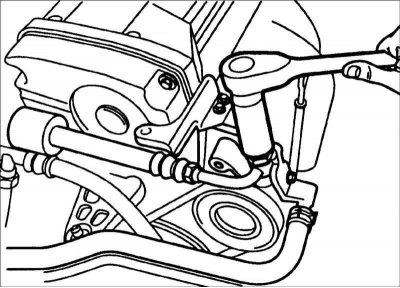


9. Disconnect the hose from the power…


9. Disconnect the hose from the power steering pump.
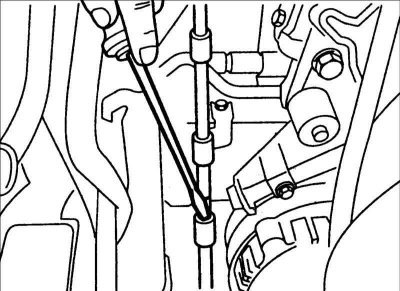
10. Disconnect the return hose from the…


10. Disconnect the return hose from the power steering oil pump.

11. Remove the upper gearbox mounting bolts.
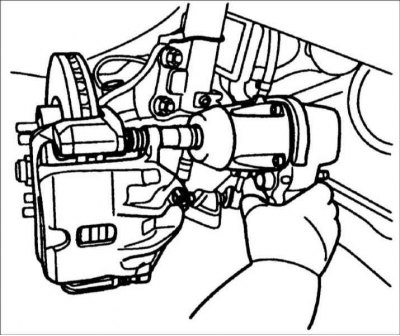
12. Using special tool J28467–B,…


12. Using special tool J28467–B, J28467–125, support the engine so that the weight of the engine is supported by the tool.
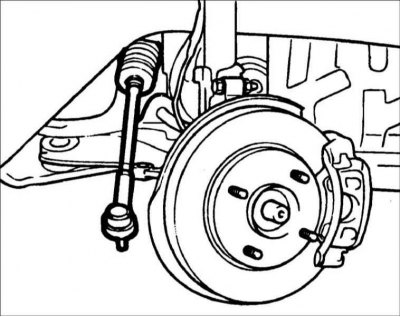
13. Remove the front wheels and front…


13. Remove the front wheels and front brake calipers.


14. Disconnect the ball joint of the steering tie rod end from the steering knuckle.
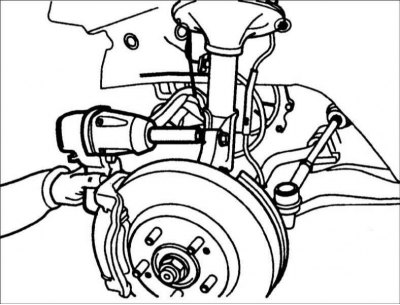
15. Remove the speed sensor and unscrew…


15. Remove the speed sensor and unscrew the bolts securing the front strut to the steering knuckle.
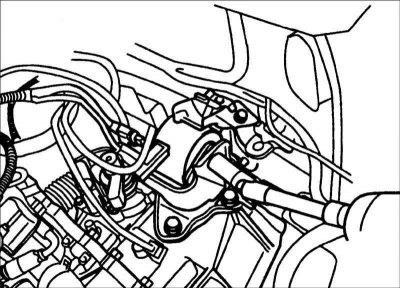
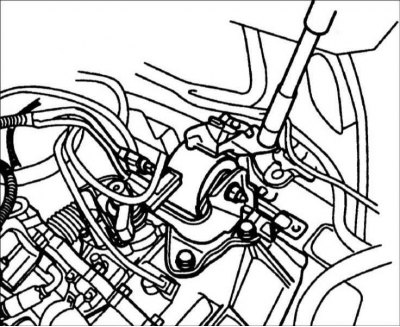
16. Remove the gearbox bracket.


16. Remove the gearbox bracket.
  • a. Remove the support mounting bolt.

b. Remove the (upper) bolt from the…

  • b. Remove the (upper) bolt from the body side.
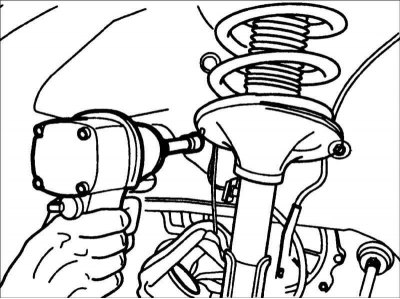
c. Remove the (side) bolt from the body…

  • c. Remove the (side) bolt from the body side.
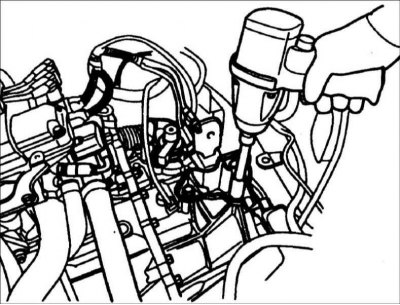
d. Remove the gearbox side mounting…

  • d. Remove the gearbox side mounting bolt.
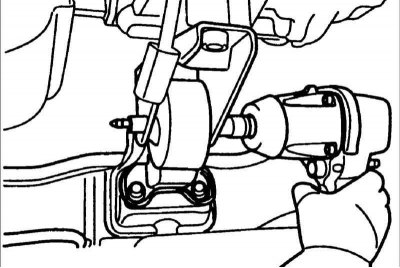
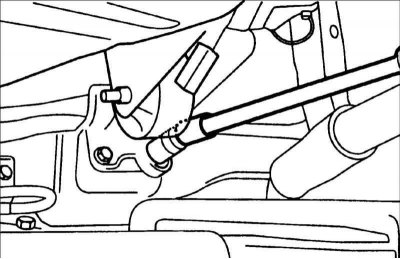
17. Remove the front roller stopper.


17. Remove the front roller stopper.


  • a. Remove the support mounting bolt.

b. Remove the (upper) stopper mounting…

  • b. Remove the (upper) stopper mounting bolt.
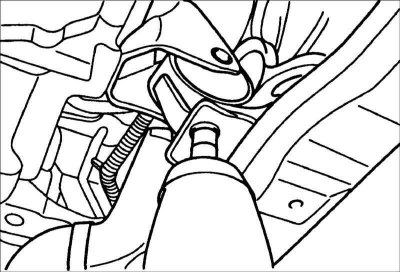
c. Remove the (lower) stopper mounting…

  • c. Remove the (lower) stopper mounting bolt.
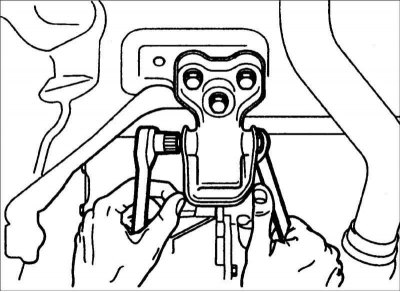
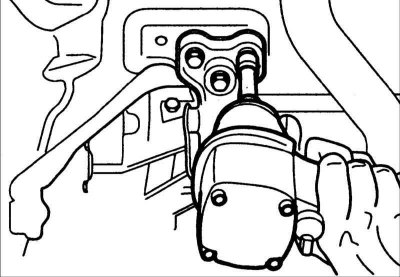
18. Remove the rear roller stopper.


18. Remove the rear roller stopper.
  • a. Remove the support mounting bolt.

b. Loosen the stopper mounting bolt.

  • b. Loosen the stopper mounting bolt.

19. Remove the drive shaft.
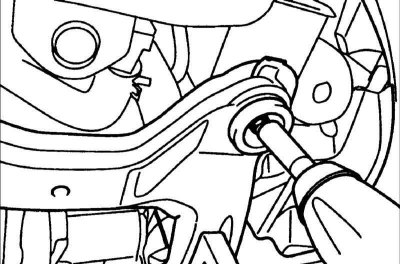


20. Remove the bolts and remove the…


20. Remove the bolts and remove the lower frame.
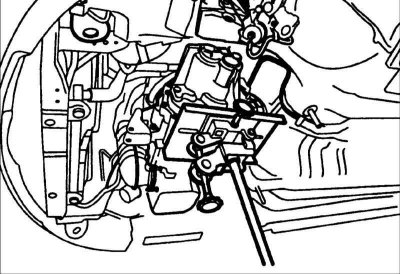
21. Support the gearbox with a jack.
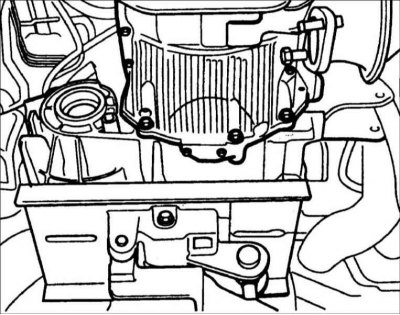

21. Support the gearbox with a jack.

22. Remove the lower gearbox mounting…


22. Remove the lower gearbox mounting bolts.

23. Remove the bolts securing the gearbox to the engine.

24. Remove the gearbox from the vehicle.

Sequence of bracket installation.
  • 1) Engine mounting bracket.
  • 2) Upper gearbox bracket.
  • 3) Rear support bracket.
  • 4) Front support bracket.

When installing the front support bracket, be careful not to damage the support, which may result in increased vibration.


Installation


1. Install the torque converter to the front of the transmission and install the transmission to the engine.

Warning! If the torque converter is installed on the engine first, the transmission seal ring may be damaged when installing the transmission.


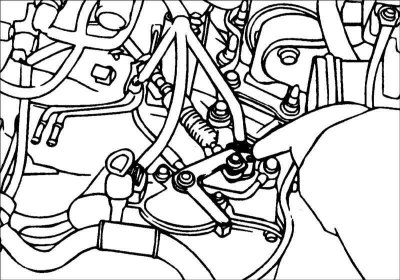
2. Install the transmission control cable and adjust as follows.

This article is based on information from the website HyundaiBook
  • Move the selector lever and gearshift switch to position N and install the gearshift control cable.
  • When connecting the control cable to the transmission mounting bracket, install the clamp so that it comes into contact with the control cable.
  • Use the adjusting nut to select any free play in the control cable and check that the selector lever moves smoothly.
  • Check that the control cable is adjusted correctly.
3. Installation is carried out in the…


3. Installation is carried out in the reverse order of removal.
This article is available at russian, bulgarian, belarusian, ukrainian, serbian, croatian, romanian, polish, slovak, hungarian
This article has been reviewed by: Konstantin Smirnov
Add to social network:

Previous
Elantra 3: Automatic gearbox
Next

Replacing the drive shaft oil seal ring
Adjusting the pressure in the line (A4AF3)
Adjusting the forced downshift servo (A4AF3)
Identification of bearings of automatic transmission F4A43
Malfunction Indicator Lamp (MIL)
Removal and installation of gearbox A4AF3
Automatic transmission control
Installing a blocking device
Installing a key lock device
We recommend other articles on the topic of Hyundai manuals:

Gearbox identification number (in block with driving axle) Hyundai Accent 1 (1994-1999)
Removal and installation of engine and gearbox Hyundai Getz (2002-2011)
Engine and gearbox assembly — removal and installation Hyundai Sonata 3 (1993-1998)
Removal and installation of the engine and gearbox assembly Hyundai Santa Fe 2 (2007-2012, petrol)
Removal and installation the engine with gearbox assembly Hyundai Tucson 1 (2005-2010)
Removal and installation of the engine and gearbox assembly Hyundai Matrix (2001-2010, petrol)

Link in different formats to this article

Visitor comments
No comments yet


How much will 30 + 34 ?


Elantra 3 (2000-2006) 
  • User manual
  • Control devices
  • Audio system
  • Starting the engine and driving
  • Faults en route
  • Maintenance and care
  • Technical information
  • Power unit
  • Gasoline engines
  • Diesel engines
  • Lubrication system
  • Cooling system
  • Fuel system (gasoline)
  • Fuel system (diesel)
  • Decreased toxicity
  • Ignition system
  • Transmission
  • Clutch
  • Mechanical gearbox
  • Automatic gearbox
  • Drive shafts and axles
  • Chassis
  • Car suspension
  • Steering
  • Brake system
  • Body
  • Exterior (external elements)
  • Interior (internal elements)
  • Air conditioning system
  • Electrical equipment
  • Equipment and devices
  • Headlights and lighting
  • Power devices
  • Electrical circuits
Elantra 2 (1995-2000, petrol) 
  • General information
  • Maintenance
  • Power unit
  • Engine repair
  • Cooling system
  • Intake and exhaust system
  • Fuel system
  • Transmission
  • Clutch
  • Manual gearbox
  • Automatic gearbox
  • Drive shafts and axles
  • Chassis
  • Front suspension
  • Rear suspension
  • Steering
  • Brake system
  • Body
  • Body elements
  • Electrical equipment
  • Equipment and devices
  • Electrical diagrams
Elantra 1 (1990-1995, petrol) 
  • General information
  • Introduction to the guide
  • Maintenance
  • Power unit
  • Minor engine repair
  • Engine overhaul
  • Lubrication system
  • Cooling system
  • Fuel injection system
  • Ignition system
  • Exhaust system
  • Transmission
  • Clutch
  • Manual gearbox
  • Automatic gearbox
  • Drive shafts
  • Chassis
  • Front suspension
  • Rear suspension
  • Steering
  • Wheels and tires
  • Troubleshooting
  • Brake system
  • Body
  • Body elements
  • Electrical equipment
  • Equipment and devices
  • Power devices
  • Heating and air conditioning
  • Electrical circuits
HyundaiBook.ru © 2018-2026 · Mobile version · Sitemap: EN BG BY UA RS HR RO PL SK HU · Administration · Site search · Hyundai owners Accent 1 · Accent 2 · Accent 3 · Elantra 1 · Elantra 2 · Elantra 3 · Getz · Sonata 3 · Sonata 4 · Santa Fe 2 · Tucson 1 · Tucson 2 · Matrix ·
This site uses cookies to optimize its functionality. By continuing, you agree to our terms.