


Contents: Turn signal switch ⇓ Lane change signaling ⇓ Outdoor Light Switch ⇓ Automatic parking light switch-off ⇓ Headlight high beam switch ⇓ Daytime running light (additional…⇓ High beam headlight signaling ⇓ Automatic switching on of outdoor…⇓ Front fog light switch ⇓
Turn signal switch
When the switch lever is moved downwards from the middle position, the left turn signals are turned on, and when the lever is moved upwards, the right turn signals are turned on. When the turn is completed, the switch lever automatically returns to the center position and the turn signals turn off. If one of the turn signal indicator lamps flashes at an increased rate, or comes on but does not flash, or does not come on at all, this indicates a malfunction in the turn signal circuits. Check the system for a blown fuse or burnt bulb, or contact your Hyundai dealer.
Lane change signaling
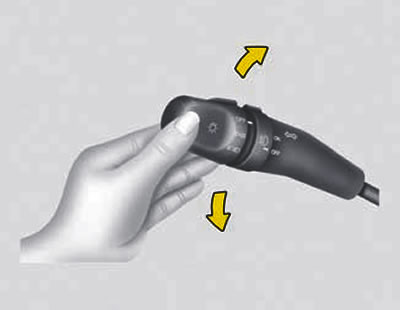
To signal a lane change, move the switch lever up or down until the turn signals begin to flash.
When released, the lever will automatically return to the middle position.
Outdoor Light Switch
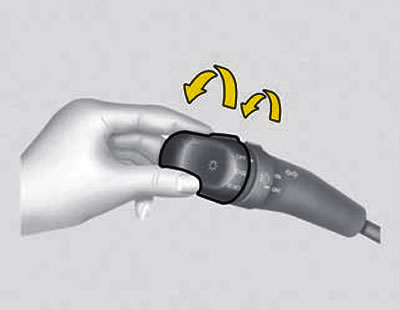
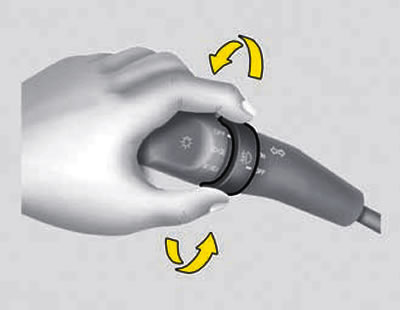
The outdoor lighting devices are switched on by rotating the drum switch. When the switch is turned to the first fixed position, the side lights, parking lights, tail lights and instrument cluster lighting are switched on. When turning to the second position, the low beam headlights are turned on.
Note: The exterior lighting comes on when the ignition key is in the "ON" position.
Automatic parking light switch-off
If you do not turn off the parking light at the end of the trip, it will automatically turn off when you open the driver's door.
To turn on the parking light, simply set the ignition key to the "ON" position.
Headlight high beam switch
To turn on the high beam headlights, move the switch lever forward (away from you). This will cause the high beam indicator light to come on. To switch the headlights to low beam, move the switch lever towards you.
Daytime running light (additional equipment)
(The original text is available on the website: hyundaibook.ru)
Your Hyundai vehicle is equipped with a daytime running light system that improves the vehicle's visibility to oncoming drivers. The headlights are always on when the engine is running, although the headlight switch may be in the "Off" position. The daytime running lights are turned off when the parking brake is applied.
High beam headlight signaling
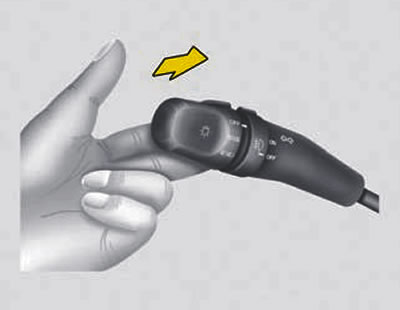
To turn on the high beam headlights, move the light switch lever along the steering column towards you and release it. High beam signaling is provided even when the external lighting is switched off.
Automatic switching on of outdoor lighting
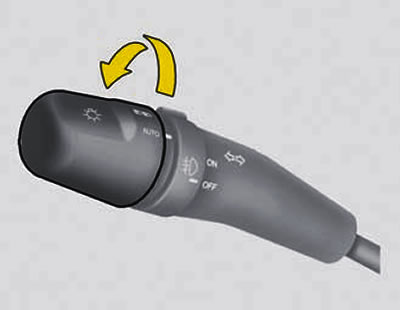
To turn on the outside lights automatically, turn the drum switch of the outside light switch lever to the "AUTO" position. The headlights and taillights then turn on automatically depending on the ambient light.
Front fog light switch
To turn on the front fog lights, move this switch to the "ON" position. They will come on when the headlight switch is in the first or second position.