


Contents: Work in automatic mode ⇓ Working in manual mode ⇓ Fan speed control ⇓ Air supply control switch (version…⇓
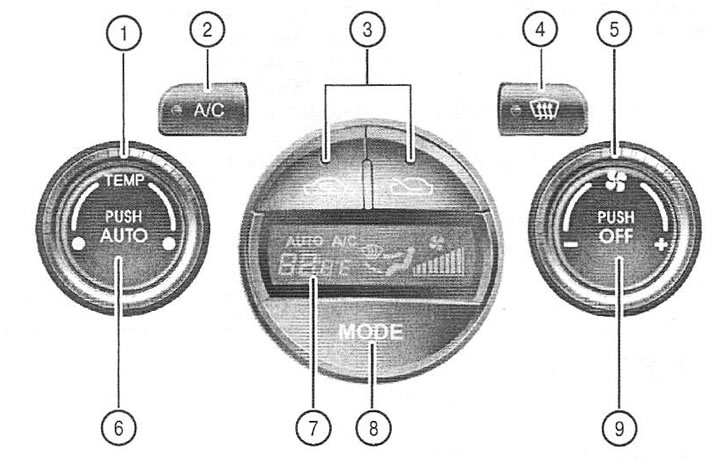
1. Temperature controller
2. Air conditioner switch
3. Air flow mode switch
4. Heater switch
5. Fan speed controller
6. Automatic mode switch (AUTO)
7. Display
8. Air flow regulator
9. Main switch
Work in automatic mode
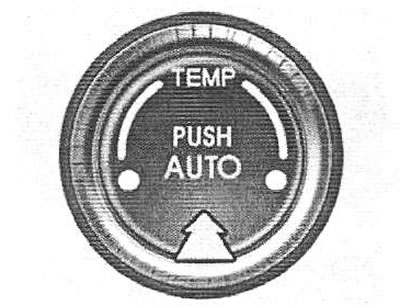
To activate the automatic mode of the system, press the AUTO switch. The indicator light should light up, confirming that the air supply is controlled automatically.
Press the TEMP buttons to set the desired temperature. To change the temperature input to Celsius or Fahrenheit, press and hold the OFF and AUTO buttons for 3 seconds
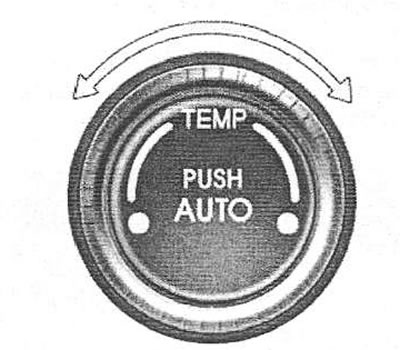
Note: When the battery is discharged or disconnected, the temperature selection mode switches to degrees Celsius. This is normal.
To switch the system to Fahrenheit, press the "OFF" and "AUTO" buttons simultaneously and hold them for 3 seconds.
The display will show that the system has switched to degrees Celsius or Fahrenheit (°C+>°F or°F+>°C).
Working in manual mode
The system can also be controlled manually using the control panel buttons. The system elements whose control buttons are not used continue to operate automatically.
Fan speed control
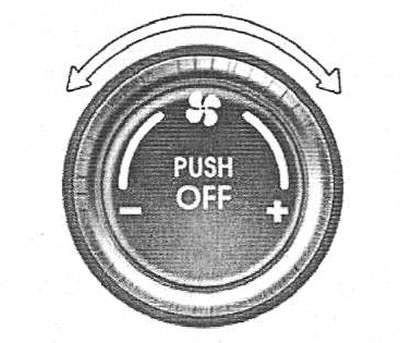
The fan speed is adjusted by turning the knob. As the fan speed increases, the amount of air supplied to the passenger compartment also increases. The fan can be turned off by pressing the OFF button.
[The text is taken from an online source HyundaiBook.ru]
Air supply control switch (version without air quality control system)
To select between air supply from outside the car or air circulation in the cabin, press the corresponding button. When this mode is turned on, the indicator light should light up.