Contents: Checking the front door locks ⇓ Checking the rear door locks ⇓ Checking the door switches ⇓ Checking the transmitter ⇓ Keychain registration ⇓
Checking the front door locks
1. Remove the door trim.
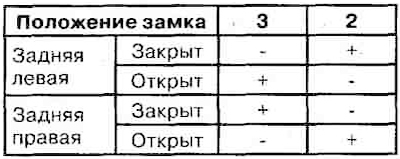
2. Disconnect the six-pin connector.
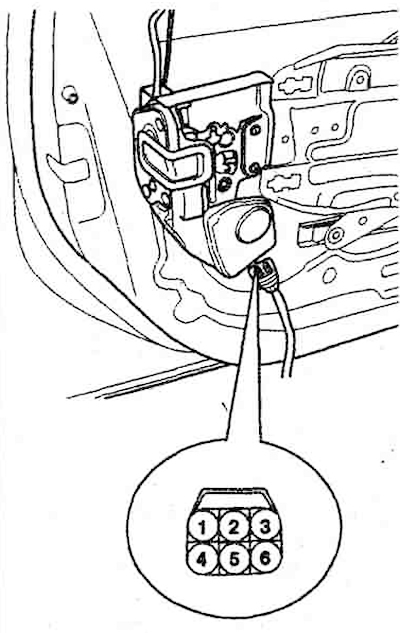
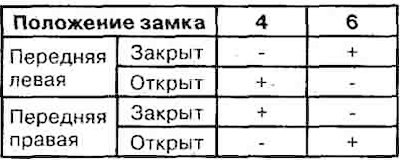
3. Check the polarity of the voltage on the contacts (it is necessary to operate the lock - close or open).
Checking the rear door locks
1. Remove the door trim.
2. Disconnect the six-pin connector.
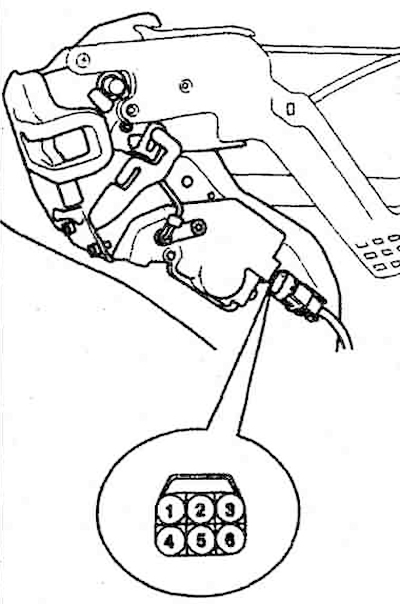
3. Check the polarity of the voltage on the contacts (it is necessary to operate the lock - close or open).
Checking the door switches
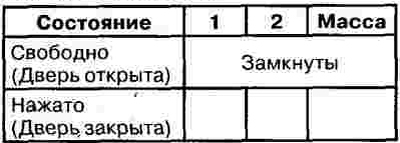
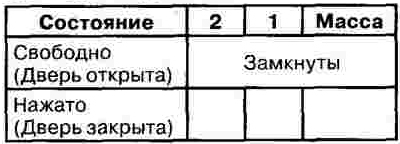
1. Remove the door switch. Check for continuity on its contacts.
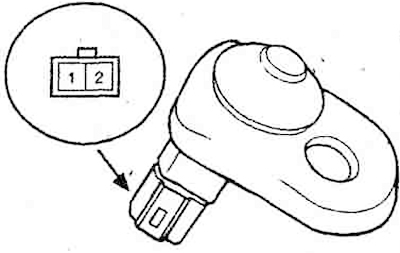
Front door switch
Front door switch
Checking the transmitter
1. Check the light on the key fob. When you press the button, it should light up.
2. Remove the battery from the key fob and measure the voltage on it (normal 3 V).

3. If the battery voltage is not normal, replace it. After replacing the battery, you must close and open the door locks 4-5 times.
4. If the locks do not work, you need to register the key fob.
5. If after registration the transmitter still does not work, replace it.
Keychain registration
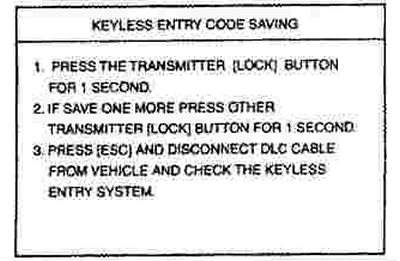
1. Connect the scanner (Hi-scan type) to the diagnostic connector.
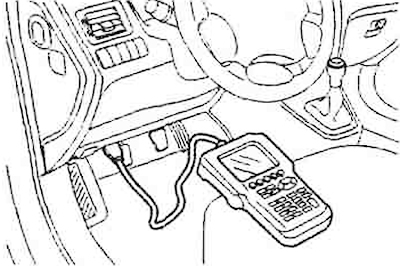
2. Select the car, model, and then the "CODE SAVING" tab.
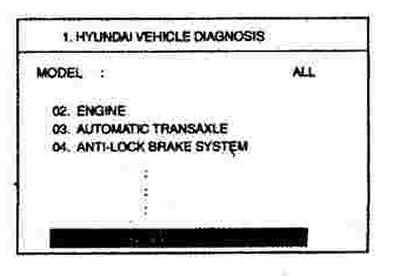
3. After selecting the "CODE SAVING" menu, press the "ENTER" button.
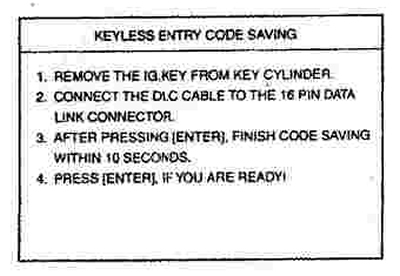
4. After removing the ignition key from the lock, press "ENTER" to proceed to the next stage of registration. Repeat steps 1-3 and save the code.