


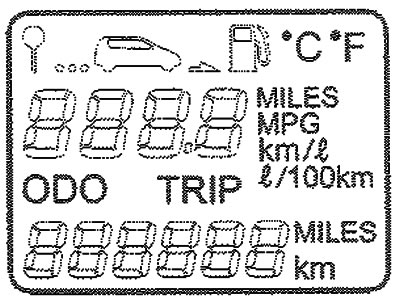
A trip computer is an electronic device that displays trip information on a liquid crystal display - outside air temperature, estimated mileage on the remaining fuel in the tank and average fuel consumption.
Reset button
The information on the multifunction display is reset by pressing the reset button.
When you press the reset button to the left of the speedometer, the display changes in the following order:
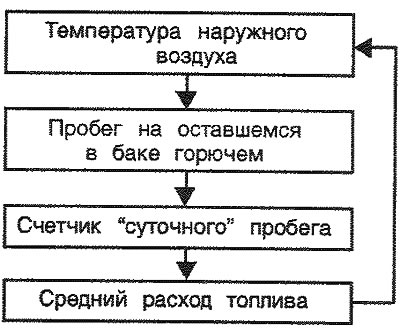
1. Outside air temperature
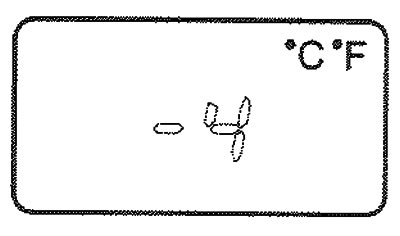
This mode displays the outside air temperature in the range from -40°C to 75°C.
2. Mileage on fuel remaining in the tank
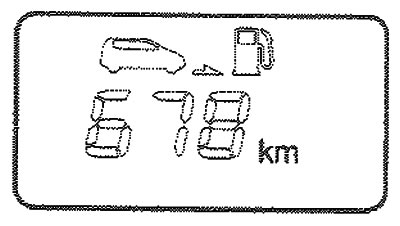
This mode shows the estimated mileage on the remaining fuel in the tank.
If more than 6 liters of fuel are added to the tank, the trip computer determines that refueling is required.
After the battery is discharged or disconnected, to obtain an accurate mileage reading, you must drive at least 32 km on the fuel remaining in the tank
Note:
- If the mileage on the remaining fuel in the tank is shown on the display as, take the trip computer to an authorized Hyundai dealer for inspection.
- The information about the mileage on the remaining fuel in the tank may differ from the actual mileage due to changes in driving conditions.
- Estimated range may vary depending on driving conditions, driving style and speed.
3. Daily mileage counter
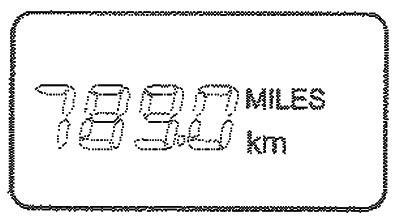
This mode shows the total distance traveled by the vehicle since the last reset of the daily mileage counter.
When you press the reset button located to the left of the speedometer, in this mode the daily mileage counter readings are reset to 0 within 1 second.
4. Average fuel consumption
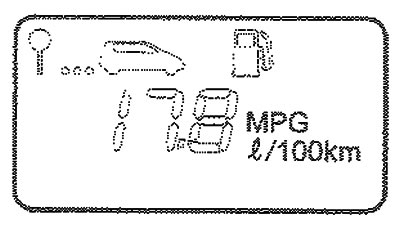
This mode calculates average fuel consumption based on the total amount of fuel consumed and the distance traveled since the average fuel consumption readings were last reset.
The readings change every 10 seconds after you have traveled more than 50 m.
Calculation method:
Miles per gallon - Total distance traveled (miles) / Total fuel consumption (gallons)
L/100 km - Total fuel consumption (l) x 100 / Total distance traveled (km)