


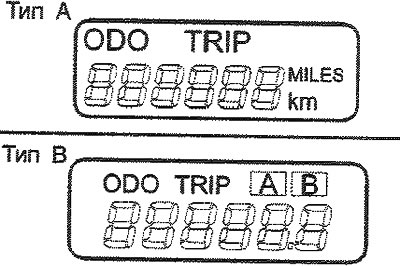
Type A (with trip computer)
1. Odometer (trip counter)
The odometer shows the total distance in kilometers or miles traveled by the vehicle and is very useful for recording periodic maintenance intervals.
Note: Any changes to the odometer readings may void your warranty coverage.
2. Daily mileage counter
This mode shows the total distance traveled by the car since the last reset of the daily mileage counter. When you press the reset button (zeroing), located to the left of the speedometer in this mode for 1 second, the daily mileage counter is reset to 0. See the description of the trip computer (see the counter "daily mileage").
Type B (without trip computer)
Digital odometer/trip counter function
(The material is reprinted from another resource: hyundaibook)
Pressing the reset button with the ignition key turned to the "ON" position causes the display to change in the following order:
1. Odometer (trip counter)
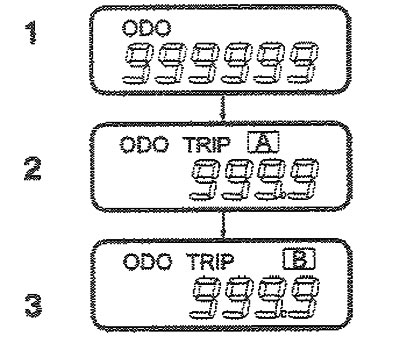
The odometer shows the total distance in kilometers or miles traveled by the vehicle and is very useful for recording periodic maintenance intervals.
Note: Any changes to the odometer readings may void your warranty coverage,
2, 3. Daily mileage counter
The "daily" trip meter shows the distance in miles or kilometers traveled over two trips.
TRIP A (Mileage A): Mileage from the start of the trip to the intermediate point.
TRIP B (Mileage B): The mileage from the stopover to the end of the trip.
Pressing the reset button allows you to switch TRIP A (Mileage A) to TRIP B (Mileage B). To reset the counter, press the reset button for one second.