Note: The exterior lighting switch operates regardless of the position of the key in the ignition switch.
- a) When turning the switch handle to the position
 (until the first click) the front and rear side lights, instrument cluster lighting, air conditioning control panel lighting, license plate lighting and lighting of some control switches are switched on.
 - b) When turning the switch handle to the position
 (until the second click) the low beam headlights are turned on.
Caution: To avoid draining the battery, do not leave the headlights on for long periods of time with the engine off.
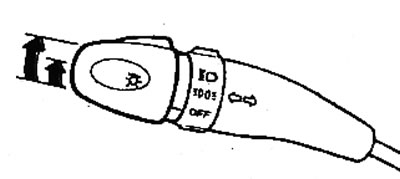
- c) (Modifications) Automatic headlight switching system.
- The system is switched on by moving the headlight switch handle to the "AUTO" position. This system switches on additional lighting when the illumination decreases (entering a tunnel, twilight, etc.). When it is slightly dark, the parking lights are switched on, and then, when the illumination decreases even more, the headlights are switched on.
- When the engine is stopped and the driver's door is opened, the headlights automatically go out. When the ignition key is set to the "ON" position, the system continues to operate automatically depending on the lighting conditions.
[The article is copied from this website HyundaiBook]
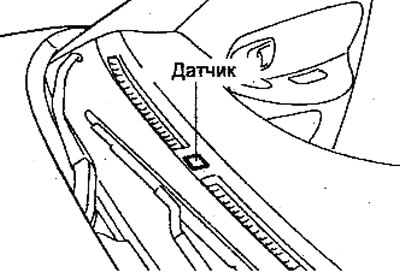
Note:
- Do not place foreign objects on the automatic headlight sensor. The location of the sensor is shown in the figure.
- If the automatic headlight system turns on too early or too late, check the sensitivity of the sensor.
2. Turn on the high beam headlights.
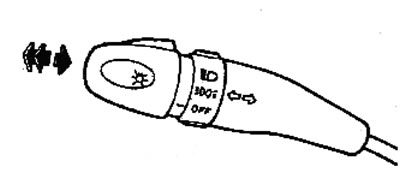
- a) To turn on the high beam headlights, set the switch knob to the position and pull the switch lever away from you. When the high beam headlights are turned on, the corresponding indicator on the instrument cluster lights up.
- b) To turn off the high beam headlights and turn on the low beam headlights, move the switch lever to its original position (towards you).
- c) To briefly turn on the high beam headlights (high beam headlight signaling), pull the switch lever towards you until you feel resistance, then release the lever.
3. Turn on the direction indicators.
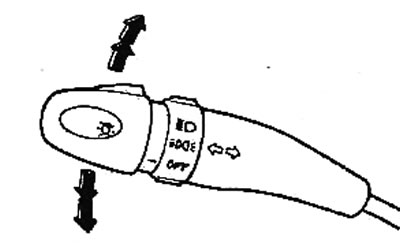
- a) To turn on the turn signal, move the switch lever to the extreme up or down position. The lever will automatically return to its original position after completing the turn. However, when changing lanes, you may need to return the lever to the neutral position by hand.
- b) To activate the lane change signal, move the lever up or down until you feel resistance to movement and hold it in this position.
Caution: If the turn signal indicators on the instrument cluster flash more frequently than usual, the front or rear turn signal bulb has burned out.
4. Turn on the front fog lights.
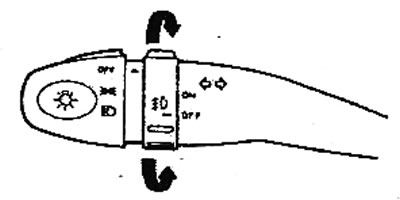
To turn on the fog lights, move the switch to the "ON" position, and the corresponding indicator lights up on the instrument cluster.
Note: The front fog lights can be turned on when the exterior lighting switch is in the position
5. Turn on the rear fog lights.
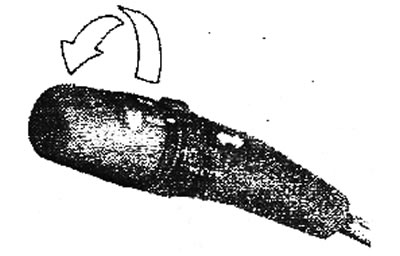
To turn on the rear fog lights, use the switch shown in the figure. The indicator on the switch will remain lit while the rear fog lights are on.
Note: The rear fog lights can be turned on when the exterior lighting switch is in the position
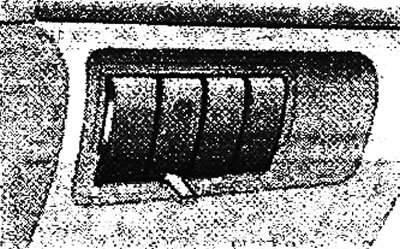
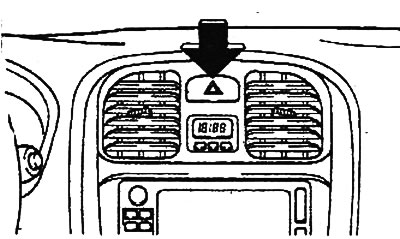
6. Turning on the hazard warning lights. The hazard warning lights can be turned on regardless of the key position in the ignition switch. To turn on the hazard warning lights, press the switch shown in the figure.
Note: Use this switch when forced to stop on the road or in the event of an accident.