


Contents: Local lighting lamp ⇓ Rear local light bulb (optional) ⇓ Interior lighting lamp ⇓ Door button. ⇓ "On" button. ⇓ Luggage compartment light ⇓ Door button. ⇓ "On" button. ⇓ "Off" button. ⇓
Local lighting lamp
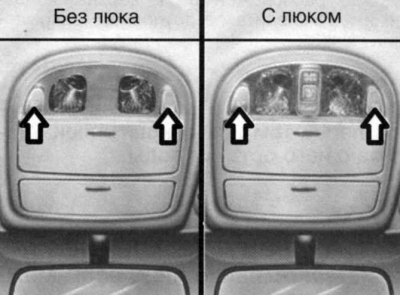
Fig. 1.78. Local lighting lamp switching buttons
To turn the local light on or off, press the switch. This light illuminates a small area and is intended to be used as a navigation light at night or as a local light for the driver and front passenger.
Rear local light bulb (optional)
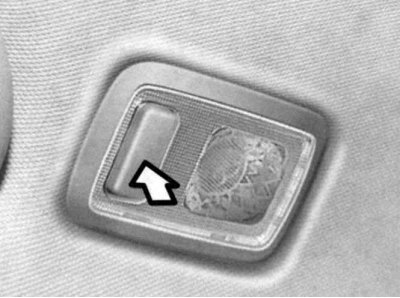
Fig. 1.79. Rear local lighting lamp switch buttons
To turn the local lighting lamp on or off, press the switch (Fig. 1.79).
This lamp illuminates a small area and is intended to be used as a navigation lamp at night or as a local lighting lamp for rear passengers.
Interior lighting lamp
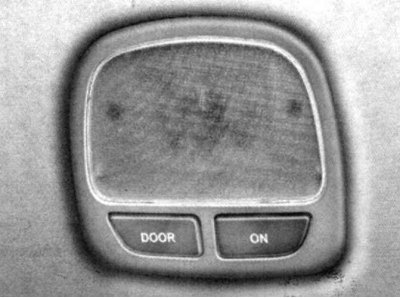
Fig. 1.80. Interior lighting lamp
The interior light has a two-button switch.
Door button.
In the "DOOR" position, the interior light comes on when any door is opened, regardless of the ignition key position. It gradually goes out over 30 seconds after the door is closed.
"On" button.
In the "ON" position, the interior light remains on continuously.
Caution! To avoid discharging the battery, do not leave the interior lights on for a long time when the engine is not running.
Luggage compartment light
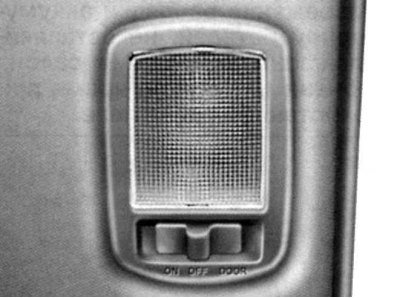
Fig. 1.81. Luggage compartment lighting lamp
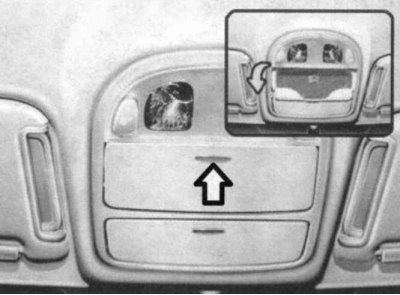
Fig. 1.82. Luggage compartment lighting lamp
The luggage compartment light has a two-button switch.
Door button.
In the "DOOR" position, the luggage compartment lamp comes on when the rear door is opened. It goes out after the door is closed.
"On" button.
In the "ON" position, the luggage compartment light remains on continuously.
"Off" button.
In the "OFF" position, the luggage compartment light does not light.